Compliance and GRC MCP servers compared
Four of the six GRC platforms whose documentation we read in October 2026 let an AI assistant read and write over MCP. Kertos describes reading only, and at Cyberday it creates only documentation items. They differ in who switches access on, whether deleting is allowed and what stays with a person.




Which GRC platforms have an MCP server?
GRC stands for governance, risk and compliance: software in which a company keeps its risks, policies, suppliers and evidence, for example for ISO 27001 or its NIS 2 obligations. MCP (Model Context Protocol) is the open standard an AI assistant such as Claude or ChatGPT uses to work with such software.
Vanta, Drata, Secureframe, Sprinto, Kertos and Cyberday each describe an MCP server. All six name sign-in through OAuth, in the browser with the person's own account. Vanta, Drata, Sprinto and Kertos state that the assistant can do only what the person's role allows.
Secureframe and Sprinto also offer an API key. At Secureframe everyone except admins needs such a key, or the right to create one, even for OAuth.
We compare what the vendors themselves write, as of October 2026. We have not tested their servers, and we give no ranking. We describe the NIS 2 walkthrough's MCP server along the same questions, from its code.
May the assistant write and delete?
Vanta lists as write actions creating or updating a risk, updating an issue's status and uploading a policy document. In the privacy programme this includes deleting, for example processing activities. Drata has scopes for creating, updating and deleting; what can be deleted is evidence, risks and vendors.
Secureframe writes that its server can create, update and delete. Sprinto lists, among others, creating risks, policies, controls and vendors, updating policies and closing incidents. Its page says nothing about deleting.
Kertos describes a connection with read permission and names no write actions: the assistant sees exactly what the person's own Kertos user can see. Cyberday reads tasks, documentation items and events, and so far the assistant can create only documentation items there.
In the NIS 2 walkthrough the assistant fills in what the items ask for: fields, lists, the inventory, ratings, agreements and policy texts. It does not delete a supplier, an asset or a training. It does replace an answer, though, and it saves the crypto list as a whole, so an entry it leaves out drops off the list.
Who switches the assistant on?
At Sprinto an admin turns MCP on for the organisation; according to Sprinto, turning it off stops all of the organisation's MCP connections immediately. Cyberday writes that MCP access is disabled by default and an admin has to enable it explicitly.
At Drata an administrator sets which scopes are available over MCP at all. Each person gets the intersection of those scopes and their role. At Vanta, according to its help pages, any user can connect; a small set of tools is reserved for admins.
In the NIS 2 walkthrough the switch "Allow AI assistants for this company" is off until an admin turns it on. It is checked on every call, and turning it off ends every connected assistant. The assistant of a person with the Reviewer role reads but fills in nothing.
What stays with a person?
Under Art. 20(1) NIS 2, management bodies approve the cybersecurity risk-management measures and oversee their implementation. In Germany, § 38(1) BSIG obliges management to implement the measures and oversee their implementation. Neither provision says whether an assistant may help.
Secureframe advises reviewing what the assistant is about to do before confirming, especially updates, deletes and archive actions. Drata advises admins to grant scopes that change data deliberately.
Sprinto lists among its MCP actions sending policies for approval or approving them. The assistant can also approve or reject steps in approval workflows there, as far as the person's role allows. We found no page from any of the vendors that excludes the assistant from approvals.
In the NIS 2 walkthrough the assistant finishes no item, decides none and signs nothing, because the server has no tool for it. The management review and the approval at item 7.3 exist only in the app.
Art. 20(1) NIS 2 · § 38(1) BSIG
How the NIS 2 walkthrough's MCP server is built
Its code is open, under the AGPL 3.0 licence. Every installation serves its MCP server at /api/mcp, including one on your own servers, and signs assistants in itself, with no third-party service.
Assistants sign in through the browser, using OAuth 2.1 with automatic registration, or with a key that lasts 90 days. Each person can make 300 calls an hour.
Cyberday writes that every action and data pull made through MCP is logged. In the walkthrough every change appears in the activity log under the person's name, with "via" and the assistant's name. Every screen an assistant wrote also carries a mark with its name and the day.
How the walkthrough does it
Two items show how the walkthrough separates filling in from approving.
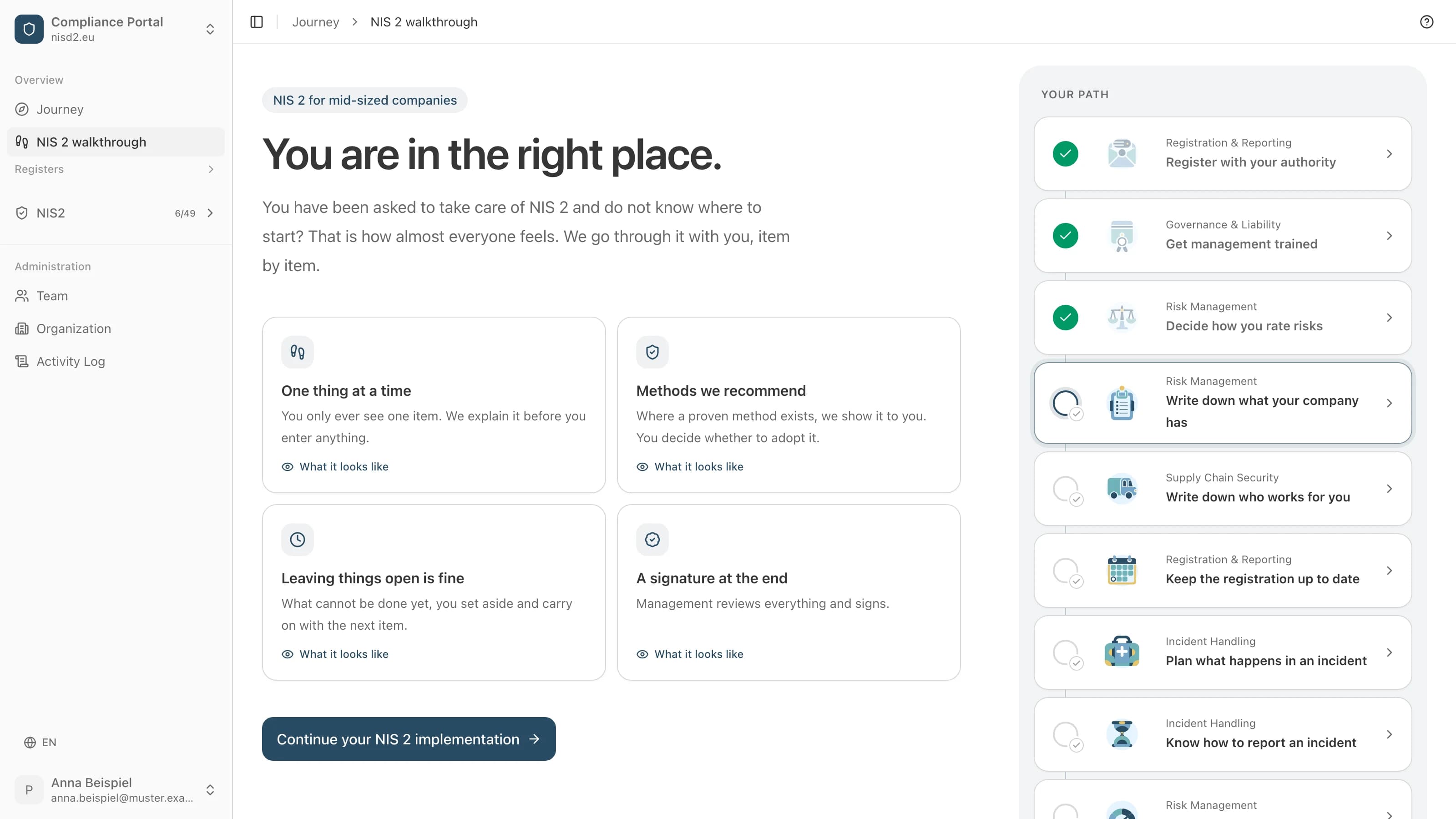
2.2 "Write down what your company has": the assistant ticks on the four lists what your inventory shows and enters which software exactly and from whom.
The screen then carries a mark such as "Filled in by the assistant claude-code/2.1.287 on 16 October 2026". You check the list and finish the item in the app.
7.3 "Record the management review": the assistant fills in nothing here. A person records the management review in the app.
On "Management approves the documents", management approves, signed in with its own account.
Common questions
Which GRC MCP server is the best?
We give no ranking. Which one fits depends on whether your assistant should write, who switches it on and which steps you want to keep with a person. Check the vendor's current documentation; this comparison shows October 2026.
Is there an ISO 27001 MCP server?
Cyberday names ISO 27001 alongside NIS 2, DORA and the GDPR among its platform's frameworks. nisd2.eu is not an ISO 27001 certification tool: its MCP server works in the NIS 2 walkthrough. Our article on ISO 27001 MCP servers covers this in more detail.
Are there MCP servers that only provide knowledge about NIS 2?
Yes, for example NORMA from Kynosure: a collection covering eight frameworks, NIS 2 among them, with tools to search and map requirements, draft policies and run a gap analysis. Such servers hold no records of your company and fill none in.
Where is the data held, are there EU servers?
Vanta names a Europe region, Drata and Sprinto an EU address, Secureframe addresses in the US and the UK. That concerns the GRC platform. What the assistant reads also goes to the assistant's vendor, under your agreement with them. You can also run the NIS 2 walkthrough on your own servers.
Read next
- Was ist ein NIS2 MCP Server?Der Anschluss, über den Ihr eigener KI Assistent den Durchgang liest und ausfüllt, als Sie. Was er tut, was er nicht darf und wie Sie anfangen.
- ISO 27001 MCP Server: ein ISMS mit KI Assistent führenWas ein Assistent im ISMS pflegen kann, was die oberste Leitung und die Zertifizierungsstelle behalten, und wo der NIS 2 Durchgang Vorarbeit leistet.
- NIS-2-Software im Vergleich: US-SaaS gegen offene EU-ComplianceWorauf es bei einem Werkzeug ankommt, mit dem Sie ein EU-Gesetz erfüllen: Nachvollziehbarkeit, Datensouveränität, kein Lock-in.
Sources
- Vanta, Vanta MCP and Vanta MCP troubleshooting and FAQ, developer.vanta.com and help.vanta.com; Drata, MCP Server and Drata MCP setup and usage guide, developers.drata.com and help.drata.com, as of October 2026
- Secureframe, Secureframe MCP server, secureframe.com/blog; Sprinto, Sprinto MCP, docs.sprinto.com, as of October 2026
- Kertos, Use Kertos MCP with Claude, docs.kertos.io; Cyberday, Introducing Cyberday MCP and Enabling Cyberday MCP, cyberday.ai; NORMA, glama.ai/mcp/servers/nbr8eiglpe, as of October 2026
- Directive (EU) 2022/2555 (NIS 2), Art. 20, EUR-Lex CELEX 32022L2555
- BSIG § 38, gesetze-im-internet.de/bsig_2025
- open-isms, lib/mcp/server.ts, lib/mcp/walk.ts and LICENSE (AGPL 3.0), github.com/NISD2/open-isms
In pratica
Dove compare nel percorso guidato
Il percorso guidato ne fa dei passi da compilare, con la legge spiegata accanto a ciascuno. Apri un passo per vedere la sua schermata, compilata per un'azienda di fantasia.
Il percorso è in tedesco e in inglese.

Risk Management
Write down what your company has
A list of the processes, software and devices you work with.

Effectiveness Assessment
Record the management review
Management checks whether the measures work and approves your documents.
Quanto costa il percorso guidato
4800 € netti all'anno, più IVA
Rimborso entro 30 giorniCon fattura, da pagare entro 30 giorni. Annullamento entro i primi 30 giorni: fattura annullata o rimborso.
Implementazione guidata della NIS 2, passo dopo passo
Una cronologia di modifiche e approvazioni da mostrare alla tua autorità di vigilanza
Scadenze e promemoria per ogni requisito
Questionario di sicurezza per i tuoi fornitori
Esportazione in PDF o CSV in qualsiasi momento
Ti hanno affidato NIS2?
Ti guidiamo passo dopo passo. Tu compili, noi spieghiamo ogni punto con parole semplici, e alla fine firma la direzione.